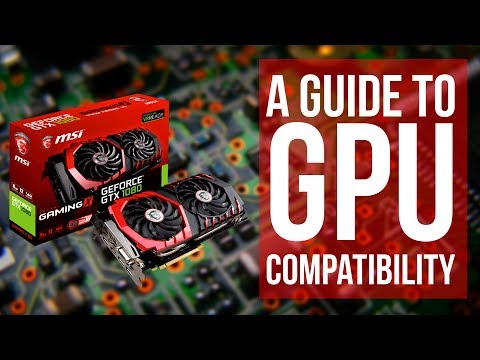
Oh man, dealing with tech stuff can be such a headache, you know? Like, you’re all excited about upgrading your gear, but then boom! Compatibility issues hit you out of nowhere. Been there, done that.
So you’re eyeing that shiny new GPU to beef up your rig. But you’ve got an i3 3220 processor sitting in there cozy as ever. And now you’re wondering… are these two gonna get along or are they from different planets? It’s like trying to introduce your cool new friend to your old pals without things getting awkward.
I remember when I was in the same boat with my old setup. I thought it’d just be a plug-and-play thing—plug it in and voila! Nope. It was more like plug-and-pray with those quirky socket matches, hah!
i3 3220 GPU Compatibility Limitations
Alright, let’s dig into the details of GPU compatibility with an i3-3220 processor. This processor, from Intel’s third generation of Core CPUs, came out back in 2012. Can you believe it’s been that long? Time flies! Anyway, if you’re using this CPU and thinking about upgrading your GPU, keep a few things in mind.
- **Socket Compatibility**: The i3-3220 uses the LGA 1155 socket. Now, here’s something important: newer GPUs don’t rely on this socket to fit into your motherboard since they use PCIe slots for connections. So, as far as physical fitting goes, you’re good—phew!
- **PCIe Versions**: Your motherboard likely supports PCIe 3.0 with this CPU. Newer GPUs use PCIe 4.0 or even PCIe 5.0 now; however—and here’s a bit of relief—their design is backward compatible. This means you can still install a newer graphics card in an older PCIe slot without problems on fitting.
- **Power Requirements**: Modern high-end GPUs need more power than older models did and often require additional power connectors directly from the PSU (That’s Power Supply Unit). If your current PSU doesn’t have these connectors or enough wattage capacity—it’s time for an upgrade.
- **Performance Bottlenecking**: Okay…so this one’s big! While you technically can plug-in fancy new graphics cards into that trusty old rig—the i3-3220 might just not keep up with it when running resource-heavy applications like modern games or video editing software at high settings which could lead to bottlenecking where performance won’t improve as much as you’d hope because your processor becomes too limiting.
You see? It’s sort of like trying to race with a sports car stuck behind slower-moving traffic; no matter how fast that car is—it’ll be held back by slower vehicles around them!
If you’ve considered all these aspects but still want some improvements while avoiding complete system overhaul? Maybe explore pairing mid-range GPUs released within past couple years instead—which offer notable visual enhancements without overwhelming older processors such those found here—and ensure equilibrium between both components.
And remember folks—it never hurts seeking opinions from local tech enthusiasts down at community forums—they often have savvy insights tailored specifically towards setups/configurations & personal experiences amid transitions similar situations…happy upgrading!
I3 3220 Socket GPU Compatibility Issues
Alright, let’s dive into this topic about the i3 3220 socket and new GPU compatibility. I guess it can be a bit of a hassle sometimes, right? But don’t worry, we can figure this out together.
So you’re using an Intel i3-3220 processor, huh? It’s from the 3rd generation of Intel’s Core line and fits into a socket called LGA 1155. This CPU is pretty solid for basic tasks and even some light gaming with older games. Now, when it comes to upgrading your graphics card or GPU (that’s the part that makes games and videos look amazing), there are a few things you should consider:
- Motherboard Compatibility: Your motherboard needs to have a PCI Express x16 slot. Most modern GPUs need this slot to work properly. Check your motherboard’s manual if you’re unsure where it is.
- Power Supply Unit (PSU): Newer GPUs often require more power than older ones. So you’ll want to make sure your PSU has enough wattage and the right connectors for your chosen GPU.
- Bios Update: Sometimes motherboards need an update to support newer hardware like recent GPUs. Updating BIOS can feel daunting but often just requires downloading an update file from the manufacturer’s website.
Now here’s where it gets interesting: Not all modern GPUs will give you trouble on an LGA 1155 socket motherboard, as long as everything else matches up! In fact, there are plenty of stories about folks giving their older PCs a breath of fresh air by slapping in something like a GTX 1050 Ti or even GTX 1650—these cards don’t demand too much power yet pack quite a punch.
Just imagine upgrading only one part and suddenly being able to play recent titles which seemed near impossible before! It’s almost like having a new PC without spending big bucks!
But remember some newer models might bottleneck because the CPU can’t keep up despite what marketing tells ya—it happens when the processor limits performance due lack its speed relative other parts’ potentials.
To sum up—a quick checklist:
- Is there room inside my computer case?
- Does my current setup include needed connections ports?
- How much energy does each component use overall—can handling increase comfortably (think electrical strain)?
Using these points efficiently will help you enjoy smooth sailing ahead while boosting performance significantly without facing any headaches later down line… hopefully avoiding needless expenses altogether!
So if you decide try going through whole upgrade journey using “stepping stone” approach rather than complete overhaul—it’ll ultimately really feel rewarding once finished result reflects careful planning dedication towards achieving goal seamlessly over time period taken prepare wisely beforehand first place!
GTX 1050 Minimum System Requirements
Ah, the GTX 1050. It’s pretty popular among folks looking for a budget-friendly yet capable GPU, right? Let’s dive into what you need to make it work smoothly with your system, especially if you’ve got something like an i3 3220.
First off, let’s chat about the minimum system requirements. To get the most out of your GTX 1050, you’ll want to make sure a few things are in place:
- Power Supply: Although the GTX 1050 doesn’t need a lot of power—just about 75W—it’s important that your power supply has enough juice. A PSU of at least 300W is recommended. Why? Because you also gotta account for other components in your rig.
- PCIe Slot: Make sure that your motherboard has a PCIe x16 slot available—this is where the magic (well, connection) happens.
- RAM: Having enough memory helps things run smoothly. At minimum you’d want about 4GB RAM, although realistically speaking more is better. Like at least 8GB to avoid bottlenecks when you’re multi-tasking or throwing games its way.
- Drivers and OS: The latest NVIDIA drivers are crucial! And as far as operating systems go? Windows 7 or newer should cover all bases.
Now here’s where it gets interesting with the i3 3220 and those compatibility issues you mentioned! The i3-3220 uses an LGA1155 socket and supports PCIe Gen3.
The catch? Newer GPUs can sometimes feel cramped when working with older CPUs like this one due to limitations in processing power or slower memory bandwidths which might create bottlenecks.
An example from life: imagine trying to run through water versus running on dry land; everything just takes longer effort-wise if conditions aren’t optimal.
Here’s another thing: there could be BIOS compatibility hurdles too—not every old motherboard will play nice with newer cards unless firmware updates were released by manufacturer’s support team!
So looks alright but have you checked thoroughly whether there’re updates available for one cozy pairing between those two parts?
Don’t forget either—a pinch of patience does go quite well during moments pertaining troubleshooting tasks!
And hey!, happy gaming once setup’s complete!
Ah, technology upgrades. They can be both exciting and, let’s face it, a bit of a headache. When we talk about something like the i3 3220 processor—it’s been around the block a few times. A few years back, this chip was quite the workhorse for everyday computing tasks. I remember building a budget PC for my cousin with one of these, and she was thrilled to finally be running all her school assignments without any hiccups.
Now though? Fast forward to today, and we’ve got new graphics cards hitting the shelves that make older hardware like that i3 really sweat under pressure. One of the biggest things people often don’t think about is socket compatibility when upgrading their GPUs or other components. Essentially, socket compatibility means how well your processor plays with other pieces in your computer ecosystem.
With modern GPUs getting bigger and beefier—both physically and computationally—it can cause some tight fits. Imagine trying to squeeze into an outfit from last decade; yeah it’s kind of like that!
The i3 3220 came out on an LGA1155 socket board…and here’s where many folks hit their snag: newer GPUs require not only more power but sometimes different slots altogether due to advances in technology designs. It’s sort of as if the tech world moves faster than we can keep up sometimes.
In some cases, your motherboard might simply not have what it takes anymore because those requirements changed over time—like needing extra PCIe power pins or bandwidth capacity improvements found only on later generations.
The tricky part is knowing whether investing in just one upgrade component will do ya justice without having everything else bogged down by artificial limits put there by previous-gen products still hanging around under your hood (or desk!). So whenever talk turns towards “Can I slap this fresh-off-the-line graphical beastly thing into my old trusty rig?” The answer is often “Eh…maybe?”
So if you’re thinking about pushing that sweet old machine towards being gaming-ready again against shiny alluring ads promising loads higher frames per second than anyone thought imaginable before—just remember they don’t always line right up neatly every single time unless careful planning ensures success maintains harmony among all parties involved!