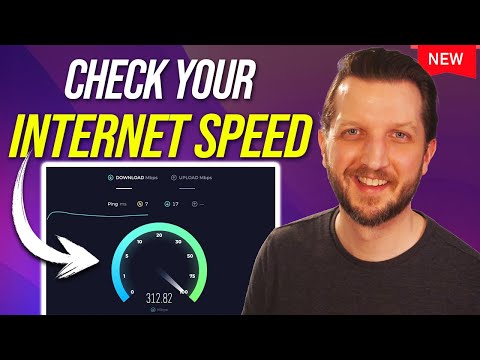
Alright, let me paint you a picture. You’re streaming your favorite show, popcorn in hand, and bam—buffering! Frustrating? Totally. You might wonder, is it my internet or just bad timing?
Now, before diving into solutions let’s chat speed tests. They’re like taking your internet’s pulse. Curious about how it works? Easy.
It’s not magic; just a few clicks. But hey, finding reliable tools makes all the difference. Not all are created equal.
Got questions about download vs upload speeds? You’re not alone! Trust me, we’ve all been there.
Stick around and we’ll unravel this whole internet speed puzzle together. Sound good?
Accurate Methods for Testing Internet Speed
Ah, testing your internet speed. It’s one of those things you might not think about every day until, well, your Netflix decides to buffer right in the middle of a dramatic scene. Annoying, isn’t it? There are ways to get accurate results when you’re checking if you’re really getting what you pay for.
First things first: choose reliable tools. Some popular ones include Ookla’s Speedtest and Google’s Internet Speed Test. They’re pretty straightforward and quickly tell you your download and upload speeds.
Wondering how they work? These tests usually connect to the nearest test server and measure how fast data travels from your device to the server and back. Think of it like a digital ping-pong match; shorter travel time means faster speed.
Avoid peak hours. You know how traffic jams happen when everyone’s rushing home at five o’clock? The same can happen with internet traffic. Test during off-peak times—early morning or late at night—to get more consistent results.
Now let’s consider some steps for accurate testing:
- Connect via Ethernet: Whenever possible, use an ethernet cable instead of Wi-Fi for a more stable connection.
- Close other apps: Make sure nothing else is hogging bandwidth during the test (like that massive file you’re downloading).
- Clear cache: Sometimes temporary files can interfere with performance, affecting accuracy.
Ever thought about taking multiple tests? It’s like tasting dishes before choosing what’s best—they all reveal something different! Run several tests at different times on various days.
Lastly, keep an eye out for potential problems. If speeds consistently fall short of what you’re paying for—time to call up customer service!
In my experience—and yes I’ve been there—testing accurately helps when troubleshooting issues or even negotiating better deals with providers… Saving money while improving performance sounds pretty sweet doesn’t it?
Best Tool for Checking Internet Speed
You know that feeling when you’re in the middle of a video call, and all of a sudden everything just starts freezing? Yeah, it’s pretty annoying. That’s why being able to check your internet speed can be a lifesaver. Here’s the scoop on how to do it right.
Why Check Your Internet Speed?
Checking your internet speed helps you know if you’re getting what you’re paying for from your service provider. If things are slower than promised, maybe it’s time for a chat with them.
Best Tools for Checking Internet Speed
There are plenty of tools out there that can help you keep an eye on how fast or slow your connection is doing. Here’s a quick list:
- Speedtest by Ookla: This one’s super popular and really simple to use! Just hit “Go,” and it’ll measure your download and upload speeds.
- Fast.com: Powered by Netflix, this tool focuses on checking download speeds, which is great if you’re worried about streaming quality.
- Google’s Internet Speed Test: Just type “internet speed test” into Google, and you’ll get their built-in tool right at the top of search results.
A Few Things to Consider
There are some little things that might affect your test results:
- Network Traffic: If everyone at home is using the internet while you’re testing, the result might be lower.
- Your Device: Older devices may not handle high speeds well; give it some thought when testing.
- Your Connection Type: Wired connections usually beat wireless in terms of reliability.
Whenever I need accurate results myself, I like doing multiple tests at different times of day. Because sometimes, networks get busy—especially during peak hours!
And honestly? It’s kinda cool seeing those numbers pop up! Knowing what they mean lets you make better decisions about plans or hardware upgrades down the road if needed.
Tools for Accurate Internet Speed Measurement
Internet speed—it’s like the heartbeat of your online experience, right? When it’s not up to par, everything else seems to go haywire. From those video calls that freeze at the worst times to a favorite TV show buffering for eternity. It happens!
So, how do you measure your internet speed accurately? Let me tell you: there are some nifty tools out there designed specifically for this purpose.
- Speedtest by Ookla: This is like the granddaddy of speed tests. Super popular and pretty easy to use, it measures download and upload speeds and ping by connecting you to nearby servers.
- Fast.com: If simplicity is what you’re after, Netflix’s Fast.com is a gem. You just visit the site and boom—your download speed appears in seconds!
- Google Fiber Speed Test: No need for external software here—Google’s tool provides a quick insight into both upload and download speeds with just a simple search.
You might wonder how these tools work. Well, they send tiny pieces of data from your connection to various servers scattered around. They measure how fast these bits travel back and forth—kind of like timing a race! This gives an idea of how speedy or sluggish things might be at any given moment.
A few tips for getting accurate results:
- Avoid peak usage times: If lots of folks in your area are online during evenings or weekends, speeds could dip temporarily.
- Close other applications: Things competing on bandwidth like streaming videos or downloads can skew results.
Give one (or more) tool(s) a try next time things feel slow-paced online—and remember—you’re not alone! Everyone faces hiccups now then; getting acquainted with these measurement tricks helps keep pace steady whenever bumps arise!
Ah, internet speed. It’s something we’ve all wondered about at some point, especially when that YouTube video just won’t stop buffering during the best part. You know that feeling, right? Like when you’re settled in, popcorn in hand, and bam—the dreaded spinning wheel! That’s when knowing a bit about measuring your internet speed can come in handy.
First things first: why does internet speed even matter? Imagine you’re on a Zoom call with your favorite people or you’re trying to upload photos from that epic weekend getaway. Nothing kills the vibe quicker than laggy connections or uploads that take eons.
There are little tools out there to help you test what’s going on with your connection. Websites like Speedtest.net or Fast.com let you see how speedy (or not) your internet really is. They give you numbers called “download” and “upload” speeds—and if those sound like techy gobbledygook, don’t worry! Download speed is how fast data comes to your device—like streaming movies—while upload is how fast data goes from you to others.
Ever notice some days are slower than others? Could be lots of reasons! More devices sucking up bandwidth at once makes everything feel sluggish. Or maybe it’s peak hours when everyone else is online too.
Remember this time my buddy wanted to game online while his entire family was binge-watching shows? He came to me super frustrated because he couldn’t figure out why his games kept lagging! After running a quick speed test and checking out the tools I mentioned earlier, we realized their router location was partly to blame—it was stuck behind thick walls reducing its reach.
The thing with these tests is make sure no one else hogs the connection while measuring; otherwise numbers might lie about true performance levels!
So next time things feel slow as molasses, try giving these tools a whirl for an accurate check-up on what speeds you’re getting versus what service providers promise shouldn’t hurt either talking them up if results look fishy!
Have fun exploring and may all your streams be buffer-free!