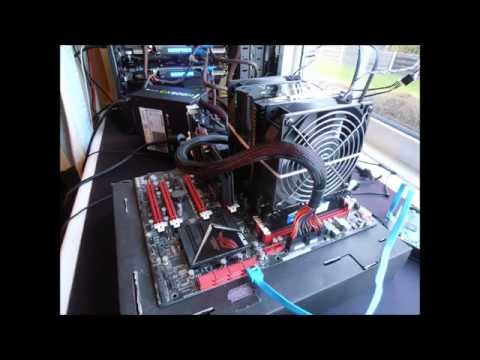
You know how your computer is like your trusty sidekick? Always there, ready to surf the web or help you win that epic game battle. But hey, sometimes it gets all hot and bothered for no good reason. Yeah, I’m talking about those moments when your AMD FX 8320 processor decides to roast marshmallows without asking you first.
So here we are, just hanging out in front of the screen, when suddenly—bam! The temperature shoots up faster than a cat chasing a laser. And naturally, ya gotta wonder: why does this happen? What’s the deal with these surprise sauna sessions?
Well, my friend let’s chat about cooling down those fiery issues because nobody likes a BBQ in their PC case unless it’s on purpose. We’re gonna dig into why this little hothead of yours is acting up and see if we can’t cool things down a notch or two! Sound good?
Causes of AMD CPU Overheating
Hey, let’s chat about a common issue: AMD CPU overheating. To be specific, the AMD FX 8320 has sometimes been known to run a bit hot, and that can cause all sorts of problems. So, let’s crack this puzzle together.
Poor Ventilation
You know, one of the most frequent reasons could simply be poor ventilation within your computer case. It’s like trying to cool yourself with a fan in a room with closed windows. No airflow! Make sure your case has proper air circulation; you might need to add or upgrade fans.
Dust Buildup
Oh man, dust is sneaky! It just loves settling on components. This dust can block air vents and heat sinks, trapping heat inside. Keep an eye out and give your machine a gentle clean every now and then.
Overclocking
Overclocking sounds fancy—pushing your CPU beyond its limits for better performance. But here’s the catch: it generates more heat! If overclocking isn’t managed well with sufficient cooling systems in place, temperatures can skyrocket.
Thermal Paste Issues
Thermal paste acts as the bridge between your CPU and its cooler. If it’s dried out or applied improperly… yikes! It won’t conduct heat effectively anymore. Consider reapplying fresh thermal paste if you suspect this is an issue.
Heat Sink Problems
If the heat sink isn’t seated correctly on top of the processor—or if it’s not big enough—it can’t do its job efficiently. Double-check that everything’s sitting tightly without any gaps; maybe look at upgrading too.
Here’s something I noticed once: a friend of mine had his gaming sessions cut short because he didn’t realize his fans were set to low speed by default! Such simple oversights happen often but are easy fixes when you catch them early!
- Regular Maintenance: Keep everything clean inside—trust me on this!
- Adequate Cooling Solutions: Invest in good quality coolers suited for intense tasks.
- Monitor Usage & Settings: Be mindful while experimenting with settings like fan speeds or overclocks.
- Sufficient Airflow Design:, Organize components smartly within cases ensuring pathways aren’t blocked.
It’s true—we sometimes take these things lightly until they’re breathing fire! Remember though…
Age of the AMD FX 8320
Oh, the AMD FX 8320! Let’s dive into the era when this processor was quite the buzz. Picture it—back in 2012, people were really hyped about getting their hands on this beast. It had eight cores and promised so much power for a reasonable price. But like most things, it wasn’t without its quirks.
Overheating Issues:
Many users began noticing that their FX 8320s were getting a bit too hot under the collar. Imagine doing some intense gaming or running heavy applications—suddenly your system starts acting up. It’s not fun at all!
- Poor Cooling Solutions: A big reason for overheating was inadequate cooling systems. The stock cooler often just wasn’t enough.
- Dust Buildup: Over time, dust loves to gather in those tiny nooks and crannies inside your computer case.
- Thermal Paste Woes: Sometimes, if thermal paste is applied poorly or dries out, it can lead to ineffective heat transfer from the CPU.
Solutions to Keep Things Cool:
Here are some ways you can address these heating concerns:
- Better Cooling Systems:: Upgrading to a more efficient aftermarket CPU cooler can make a world of difference.
- Regular Cleaning: Make sure you’re cleaning out any dust buildup regularly–a can of compressed air works wonders!
- Reapplying Thermal Paste: Every once in awhile it’s good habit to remove old thermal paste and put fresh stuff on there.
The wonderful thing is that with these solutions, many people managed to breathe new life into their AMD FX 8320 processors! If you’re having issues like crashing during long sessions or random shutdowns—that’s fixable!
In summary, while this chip from AMD’s past glory days had its set of challenges—like dealing with overheating—you’ve got options at your disposal for tackling them head-on!
Maximum Safe Temperature for AMD FX 8350
Hey, let’s jump into this intriguing topic about your CPU’s safe temperature. If you’ve got an AMD FX 8350, you’re probably wondering how warm it can get before you should start worrying. These processors can be a bit like a hot potato if they get too warm!
Here’s the lowdown. The maximum safe temperature for the AMD FX 8350 hovers around 61°C (142°F). Yep, that’s the red line where things might start frying if you’re not careful, you know? This is where you’ll want to keep everything cool—literally.
- Causes of Overheating:
- Poor Cooling System: Sometimes it’s just that your cooling system isn’t up to par. Maybe the fan’s giving up on life or the thermal paste is as dry as my humor.
- Dust Build-Up: You ever seen one of those dusty old books in grandma’s attic? Yeah, dust in your case does kinda the same thing—clogs everything up and stops airflow.
- High Ambient Temperature: Warm weather outside can bring extra heat inside. It’s like when you forget to close your windows and let all that summer heat pour in!
- Solutions to Keep Things Cool:
- Upgrade Your Coolers: Consider splashing out for a better heatsink or maybe liquid cooling if you’re feeling fancy.
- Dust Off Your Fans & Vents: A little cleaning goes a long way! Use some compressed air and make sure there’s no dust blanket over everything.
- Add More Case Fans: More fans mean more airflow. Just make sure they’re set up right so air moves through smoothly.
- Avoid Overclocking Without Adequate Cooling:You don’t want to push it beyond limits without ensuring it’s ready for that kind of action!, and remember to keep any pet hair away as well!, but you’ll get there! }
One time back in college, we had this old computer lab filled with desktop PCs running these guys—the FX 8350s under constant pressure from stressed students and gaming marathons alike! After one overheated spectacularly (smoke alarm kind), everyone got vigilant quick about staying within those safe temperatures.
In any case (pun intended), keeping tabs on temps helps not just longevity but also performance of these units over time. Have fun keeping things chill with whatever cooling option fits best!
Remember: Keeping them temps under control means smoother sailing—or gaming—in digital worlds!
Ah, the infamous AMD FX 8320 overheating issue! If you own this processor, you might’ve experienced its tendency to get a bit too hot for comfort. It’s like how some of us just can’t handle the heat of summer without cranking up the AC. The thing with this processor is that it can sometimes get warmer than expected. So why does it happen, and what can be done about it? Let’s dive into that.
First off, one possible reason for overheating is inadequate cooling solutions. You know how if you’re sitting under the sun without shade or a fan, things get sweaty pretty quickly? Well, if your cooler isn’t doing its job properly due to dust buildup or insufficient airflow, your processor can suffer from that same kind of discomfort.
Another cause could be overclocking. Remember when you push yourself to finish a marathon faster than you’re used to and end up feeling completely wiped out? Something similar happens if you push your processor beyond its limits without proper precautions—it overheats because it’s working harder than it should!
Of course, sometimes thermal paste issues could also play a role here. Think of thermal paste as sunblock for your CPU; it’s there to protect it by ensuring effective heat transfer between the CPU and cooler. If that paste has dried up or wasn’t applied well in the first place—uh-oh!—your CPU might end up heating more than necessary.
What can you do about all this? Well first thing’s first: make sure your cooling system is clean and efficient; dust being cleared on those fans could do wonders! Also think about upgrading to an aftermarket cooler if what you’ve currently isn’t cutting it anymore.
And—if you’ve been playing around with overclocking—it might be time dial things back (at least until things cool down). Lastly don’t overlook reapplying fresh thermal paste every now and again—it’s like giving new life back into old love tunes long forgotten!
So yeah keep these tips mind while taming that fiery FX 8320 beast; hopefully they’ll help tweak happier temps outta those cores!