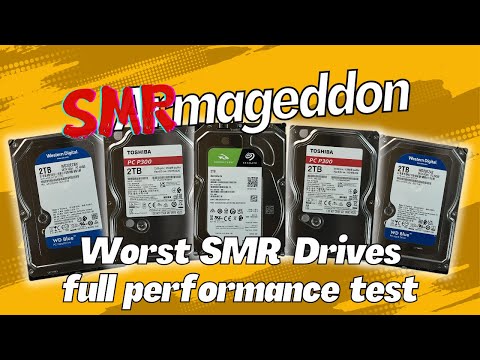
Imagine this: you’re all set to upgrade your computer. Excited, right? You grab the latest hard drive, like a shiny new toy. But wait, there’s a twist in this tech tale—it’s an SMR drive!
Now, SMR or Shingled Magnetic Recording isn’t a fancy new dance move. It’s basically how some hard drives are made these days. And it’s got its own quirks and perks.
The thing is, not all computers are chummy with SMR drives. Just like some people love pineapple on pizza and others run for the hills.
Why does it matter? Well, if your system isn’t compatible, you might end up pulling your hair out over speed issues or data hiccups.
Ever had one of those “why isn’t this working” moments with tech? Trust me; I’ve been there too.
So before diving into the upgrade world with your sparkly new SMR drive, let’s chat about what makes these babies tick and how to make sure they play nice with your setup.
Ready to explore without any tech headaches? Let’s get started!
SMR Hard Drive Write Speed Issues
So, let’s have a comfy chat about SMR hard drives and why they might, sometimes, make you want to pull your hair out when it comes to write speeds. I mean, have you had that moment when your computer’s like running a marathon with flip-flops on? Yeah, that. It’s all about the way these drives work.
SMR, or Shingled Magnetic Recording – kind of like how shingles overlap on a roof – packs more data into the same space than traditional methods. It’s super efficient for storage density, but comes with its quirks when you’re writing new information.
Why, you ask? Well, because overlapping is exactly what SMR does: each new data layer overlaps part of the previous one. Picture this: pulling out an old photo from the middle of a packed box without making everything else messy – tricky! That’s what’s happening inside your drive in terms of data rearrangement.
Here are some of those tricky bits in action:
- Performance Dips: When files need frequent updating or deleting – picture editing photos or gaming saves.
- Caching Limitations: If the cache gets full when writing data (which can happen fast), suddenly things slow down.
- Burst Writes vs. Sustained Writes: Short intensive bursts work fine; but longer high-intensity tasks may drag.
So basically if SMR sounds swell due to cost-effectiveness and good reads/cons from densely storing gigs–and even terabytes–of stuff smoothly… keep an eye open before booting up massive daily writes routinely!
But hey don’t despair! Sometimes patience can really help here or tweaking usage style somewhat so those annoyances fly under radar long meanwhile maximizing huge space-savings potential given upward tech spiral ahead!
Understanding SMR in SSDs
Sure thing! Let’s chat a bit about SMR in SSDs, shall we? If you’ve heard the term SMR mentioned in the context of Solid State Drives (SSDs), you might have been left scratching your head. What exactly does it mean? And why should you care? Dive in with me here for a sec.
Imagine you’re at a library where books are kept not only on shelves but also stacked overlapping each other. Welcome to the world of **Shingled Magnetic Recording (SMR)**! Now, I know what you’re thinking: isn’t that more about hard drives than SSDs? True! SMR is primarily related to traditional hard drives. But understanding this can actually help us navigate through some compatibility nuances.
How does SMR work?
Picture yourself painting a picket fence and occasionally overlapping your strokes to fit them all in better. In SMR, data tracks on a disk slightly overlap each other, just like those brush strokes or our library books. This clever trick allows more data storage by squeezing it into fewer physical spaces!
Why does this matter?
While SSDs don’t use magnetic recording since they rely on flash memory cells, knowing how data is stored—and challenges therein—enlightens us about potential bottlenecks or overlaps when mixing technologies like HDDs with SSD systems.
And guess what? When **considering Disco SMR compatibility** within computer systems, it’s crucial to recognize how disk behaviors could affect system performance:
- Performance:** Unlike regular Hard Disk Drives (HDDs), reading from an SMR drive can be fast—but writing might pause initially due to that necessary reshuffling.
- Lifespan:** Overlapping tracks could sometimes lead to premature wear and tear if our drive’s frequently penned-in new information.
So its kinda like pairing this overlapping puzzle piece correctly saves time—and keeps everything running smoothly without hiccups!
There was once an old project manager friend who put together components ingeniously—mix-matching using intuition based purely off brand names—which rarely ended well… Anyhow—it’s often these tiny bits & pieces adding exponentially towards broader knowledge pool shaping decisions knowingly differently than simply hunches alone…
Got any specific inquiries pertaining further potentially varying interaction dynamics between elements possibly impacting usability efficiency perhaps already noticed firsthand previously mentioned experiences alongside present-day scenarios faced presently encountered otherwise ongoingly pursued interests shared uniquely relevant personally?
Comprehending such concepts aids significantly simplifying future problem-solving inducing much less frustration akin my own casual tale retold humorously reminding errors inevitable journey embraced openly prompting solutions discovered celebrated ultimately collectively astonishingly rewarding retrospectively fondly indeed!
Disco SMR Hard Drive Compatibility
Imagine this: you just bought a brand-new hard drive, and suddenly, you start hearing about this SMR thing. Confused? Don’t worry! Let’s get into what SMR is all about.
What is SMR?
SMR stands for Shingled Magnetic Recording. It’s a type of technology used in some modern hard drives. Think of it like overlapping roof shingles: the data gets written in layers that overlap slightly. This sneaky way allows manufacturers to squeeze more data onto the same disk. Handy, right?
Now, even though it sounds super space-efficient, it can be a bit fussy with some systems or tasks.
Compatibility Concerns
Are all systems friends with SMR drives? Not necessarily! Here’s why:
- Write Speeds: When you’re writing tons of data at once (like copying big files), things might slow down due to the overlapping nature.
- RAID Configurations: Some RAID setups aren’t fans of SMR drives because they rely on fast write speeds.
- Niche Tasks: For jobs that need constant read-write access quickly (think video editing), you might notice some lag.
So yeah, if you’re thinking about using these drives for heavy-duty tasks or certain RAID arrays, maybe double-check if it’ll suit your needs.
The Upside
Why bother with them at all? Check out these cool benefits:
- Bigger Storage: You can fit more episodes of your favorite shows or years’ worth of photos since they pack more storage into less space!
- : Generally speaking, they’re often cheaper per gigabyte compared to traditional PMR drives.
Seems like a win-win if they’re used where speed isn’t the top priority.
Anecdote Time!
I remember recommending an SMR drive for my friend’s media library. He loves collecting old movies but he’s not keen on endless file transfers every day; just needed big storage affordably! He was thrilled and hasn’t looked back – perfect match!
Your Takeaway?
If pure speed isn’t your main game plan & you’re okay waiting those extra seconds during large transfers once in a while—give these little giants another thought!
Ah, Disco SMR, or Shingled Magnetic Recording. It’s pretty nifty, isn’t it? When we talk about hard drives using this technology, we’re looking at a way to cram more data onto the same size platters inside your drive. Imagine trying to fit an extra pair of shoes into your suitcase without making it burst—it’s a bit like that.
Now, about compatibility with computer systems. It can be a little tricky! These drives are great for certain tasks like archiving or storing media because they tend to offer more storage at a lower cost. But here’s the kicker: they’re not as quick on their feet when you need to write data in large chunks or edit files frequently.
I remember helping my friend out once who was puzzled why his new hard drive was acting sluggish during gaming sessions. Turns out, he had grabbed one of these SMR drives without realizing what he needed for constant reading and writing tasks. Poor guy had endless loading screens! We all know that feeling—like watching paint dry.
You see, SMR is apt for backups or storing those hundreds of family photos but maybe not ideal when you’re working on big projects requiring lots of read-write action day in and day out.
It’s always good practice to check if your computer is compatible with an SMR drive specially if performance in certain applications is crucial for you. And hey, it’s okay if things get a bit technical; it’s all part of understanding how to make tech work best for you!
Remember though… much like choosing between pizza toppings (because everyone gets picky), selecting between different storage technologies boils down to what suits your needs—the speed demons or the leisurely storers? That choice is totally personal!