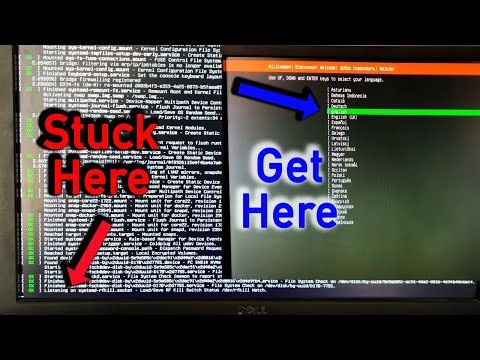
Oh, man! There’s nothing more frustrating than when your software just decides to play dead. Especially when you’re knee-deep in some important work on Lubuntu, right? I totally get that.
Imagine this: You’re all settled with your morning coffee, ready to tick off some tasks. And then—boom!—a sudden freeze hits you like a bad deja vu. Ugh, the worst!
If you’re nodding along because you’ve been there, let’s chat about ways to dodge these annoying Lubuntu crashes. Like a ninja avoiding obstacles. Trust me, it’s all about smoothing out those kinks so your system runs like a dream and not a nightmare.
Why Ubuntu Struggles on Desktops
Ubuntu, huh? A pretty popular choice for many tech enthusiasts out there. It’s robust, free, and adaptable to pretty much any environment. But let’s chat about why it can have a bumpy ride on desktop systems sometimes.
Resource Requirements
Have you noticed how things tend to slow down when you’re multitasking on Ubuntu? The thing is, it can be a bit of a resource hog. Sure, it’s lighter than some other operating systems but still needs decent hardware to shine. Older machines or those with limited RAM might struggle a tad.
Hardware Compatibility
Here’s another pickle! Sometimes Ubuntu gets a little fussy with hardware compatibility. While recent strides have been made in driver support, certain graphics cards or peripherals may not play nice right away. It’s like trying to fit square pegs into round holes now and then.
- Graphics Cards: Certain models might need extra configuration.
- Printers: Getting them set up can be hit-or-miss.
User Interface Challenges
Then there’s the user interface! If you’ve grown up using Windows or macOS, the switch to Ubuntu might feel like learning how to ride a bike all over again. The environment is different: from file management to system settings—it’s unfamiliar territory for newcomers.
Lubuntu Specific Issues
And if you explore Lubuntu—which targets itself as a more lightweight option—you might bump into some app freezes or crashes. Lubuntu uses lighter applications by default: while that helps with speed on older computers, it also means potential instability sometimes since apps may not receive as much attention.
- Frequent Freezes: May occur when running resource-heavy applications.
- Sofware Crashes: Usually happens because of limited testing compared with larger distributions.
Diverse Software Ecosystem
Lastly—and this affects both Ubuntu generally and Lubuntu—some mainstream software isn’t native here yet! You’ll often find yourself digging around for alternatives which could mean dealing with pesky bugs occasionally till you settle down comfortably again.
So yeah—all these quirks make Ubuntu experience less peachy at times on desktops despite its strengths elsewhere like servers etcetera where stability matters way more than mere user-friendliness alone!
Happy computing!
Ah, the world of using Lubuntu. Such a lightweight and snappy operating system, perfect for breathing new life into older computers. But hey, anyone who’s used it knows that sometimes, things just freeze up. Maybe you’ve been happily typing away when—bam! Wondering why everything’s suddenly stuck in limbo is never fun.
I remember back when my friend Sarah was first diving into Lubuntu with her decade-old laptop. She was thrilled about how quick everything felt, like giving her machine a second wind. Then one day she calls me in a panic because everything had ground to a halt while she was drafting an important email. Her words were something like, “I didn’t even click anything crazy!”
If you relate to Sarah’s situation—don’t fret too much! It’s not uncommon with systems like Lubuntu where resources are tight and things might not always run smoothly.
Now here’s what we learned from episodes like Sarah’s: First off, keeping your system updated can really help squash those pesky bugs causing hiccups. Developers regularly release updates that fix these kinds of issues.
Also consider checking if specific applications are hogging all the power by opening the task manager using Ctrl + Alt + Del and gently nudging them to behave—or closing them if they’ve totally lost it.
And another tidbit I picked up along my own experiences? Running a lighter session without too many applications open at once can do wonders. It feels counterintuitive at times but think of it as giving your computer room to breathe.
Lastly—and this may sound obvious—but rebooting every now and then will clear out any glitches lurking about unseen in memory space.
So there you have it—a little trip down memory lane combined with some friendly advice on keeping your Lubuntu experience running smoothly without those frustrating freezes!